In short
DV360 audience targeting combines four kinds of data: your own (first-party lists, Floodlight, Customer Match, PAIR), Google audiences (affinity, in-market, custom, life events, demographics), context (keywords, categories, sites) and third-party segments. Use first-party data to re-engage known users, Google audiences to find new ones and context to match what people are reading.
Contents5 sections
DV360 audience targeting lets you choose who sees your ads in Display & Video 360. You can use your own data (first-party lists, Floodlight tags, Customer Match, PAIR), Google audiences (affinity, in-market, custom, life events, demographics), context (keywords, categories, sites) and third-party data. This guide explains each option, with examples, so you can match targeting to your goal, optimise campaigns and improve return on spend.
First-party audience options
1. First-Party Audience Targeting
DV360’s first-party audience targeting relies on data collected directly from a brand’s digital interactions, such as websites, apps, and customer lists. This type of targeting helps advertisers reconnect with users who have already expressed interest, allowing for customised re-engagement strategies.
- Data Sources: Includes interactions from websites, apps, and CRM databases.
- Benefits: Ideal for re-engaging users, enhancing loyalty, and maximising conversion rates.
2. Tag-Based Targeting (Floodlight)
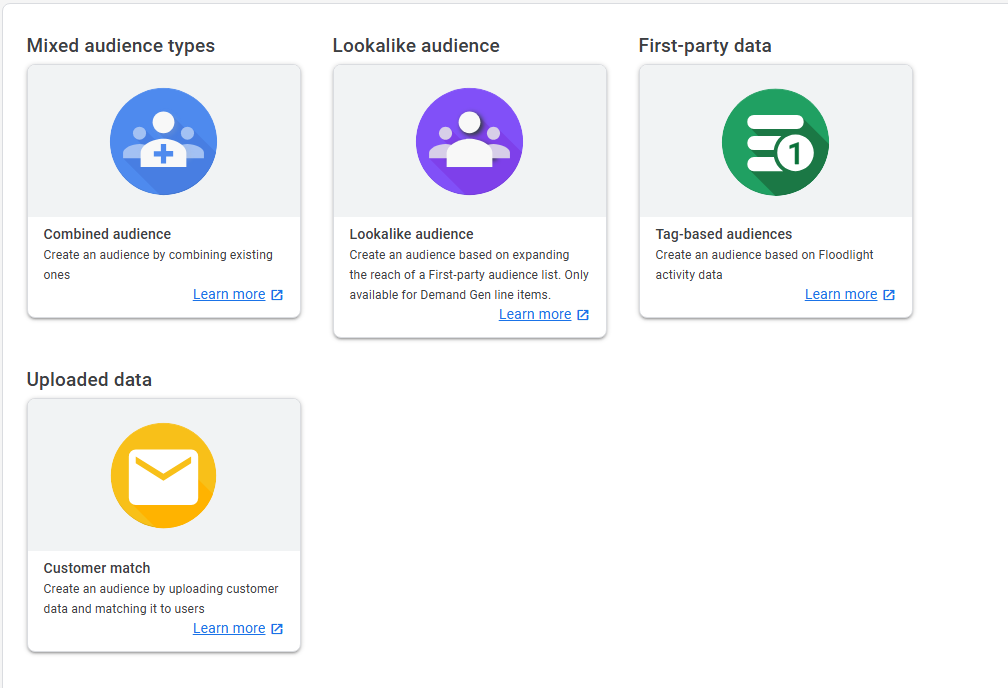
Floodlight tags are essential tools for tracking user actions across digital properties. By leveraging Google’s Floodlight conversion tracking, DV360 can create “tag-based” audiences to retarget users based on specific behaviours.
Example:
A brand could place a tag on its product page to identify users who visited but didn’t purchase. This segment can then be targeted with personalised offers, helping to move them further down the sales funnel.
Enhanced Retargeting: By analysing user behaviours like time spent on a page or items added to the cart, advertisers can segment audiences for more precise retargeting, making ads more effective and personalised.
3. Activity-Based Targeting
DV360 allows advertisers to create audiences based on campaign activity. For example, advertisers can target users who have engaged with certain ads or exclude users who have been overexposed.
- Use Case: An online retailer may exclude users who completed a purchase to avoid wasted ad spend while focusing on those who engaged but didn’t convert.
This helps control ad frequency, ensuring the right number of ad impressions and avoiding user fatigue.
4. YouTube User List Targeting
DV360 enables advertisers to create remarketing lists specifically for YouTube. These lists allow for targeted campaigns based on users' past interactions with a brand’s YouTube content.
Example:
A brand running a product demo on YouTube can retarget viewers who watched the demo but didn’t visit the website, keeping the brand top-of-mind and encouraging further engagement.
5. Customer Match
Customer Match in DV360 lets advertisers upload lists of customers via email addresses or phone numbers. This information enables advertisers to target users across YouTube and Google’s network, helping them reach past customers with personalised messages.
- Use Case: A retailer may offer discounts to re-engage customers who haven’t purchased in a while, encouraging them to return.
This strategy is particularly effective for building long-term customer loyalty.
6. Google Analytics 360 Audience Targeting
Linking a Google Analytics 360 account with DV360 allows advertisers to use behavioural insights for more sophisticated audience segmentation. For instance, users who visited a pricing page but didn’t check out can be retargeted with ads highlighting special offers.
This integration enhances DV360 audience precision by leveraging deeper behavioural data, maximising first-party data utility.
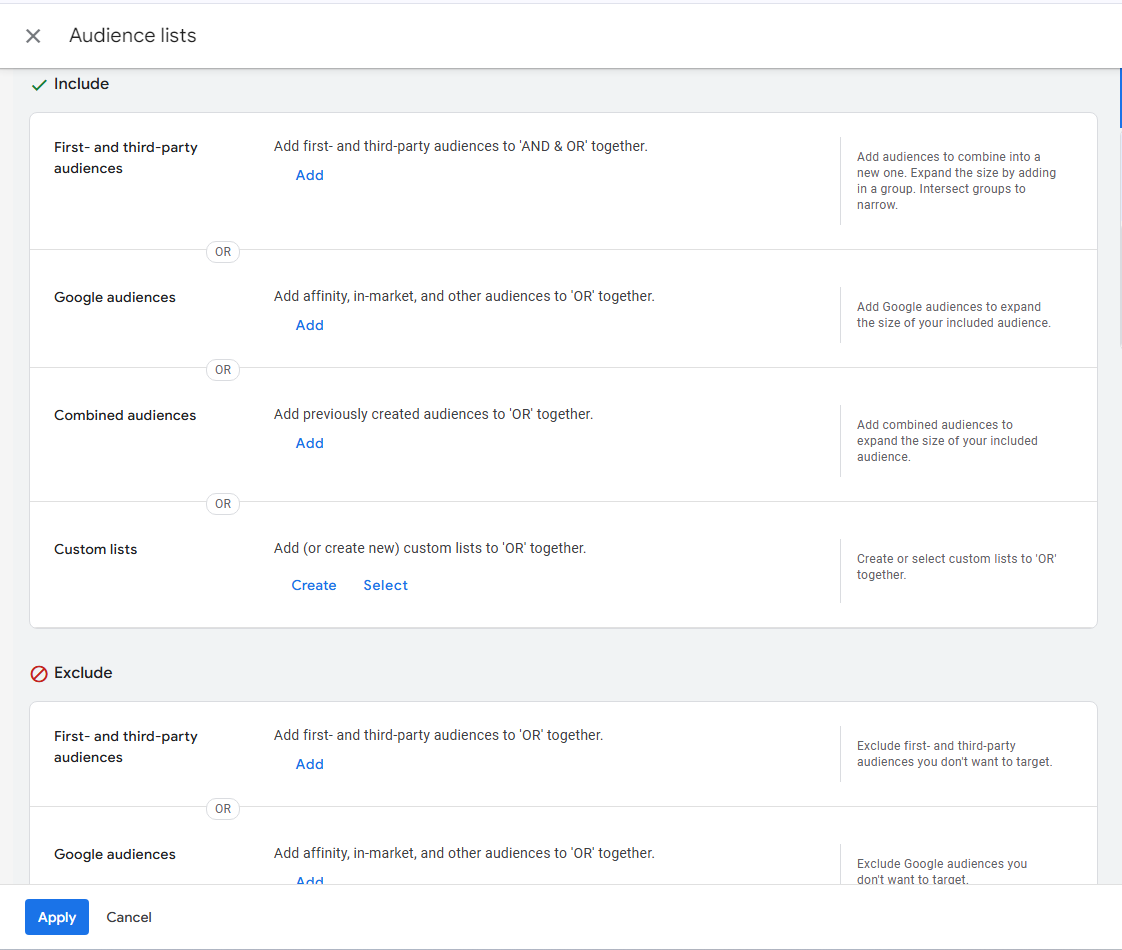
7. PAIR (Publisher Advertiser Identity Reconciliation)
PAIR lets advertisers and publishers match their first-party data for people who have visited both the advertiser's and the publisher's site, without sharing user-level data. Use it to reach existing customers or cart-abandoners on a publisher's inventory, or to suppress people who have already bought.
How PAIR works in DV360:
- Clean room matching: You link a PAIR data clean room as an external data partner. The clean room encrypts each party's data with three keys (advertiser, publisher and shared), and no party holds all three.
- No user-level data shared: The advertiser and publisher each get back only a match rate for their own data. No user-level matches or personal information go to either party, the SSP or DV360.
- Targeting: PAIR segments appear in Audiences (filter by type PAIR). Add them in the line item under Audience lists. Google recommends targeting only PAIR segments in that line item.
- Reporting: Wait about four weeks after launch and use at least 30 days of data before comparing PAIR line items with others.
Google audience options
8. Affinity Audiences
Affinity audiences allow DV360 to target users based on their long-term interests, passions, and habits. This segmentation is ideal for awareness campaigns and is based on users’ engagement with specific content categories.
Common Affinity Audience Examples:
- Banking & Finance: Avid Investors
- Lifestyles & Hobbies: Pet Lovers, Photography Enthusiasts
- Sports & Fitness: Cycling Fans
- Vehicles & Transportation: Public Transit Users
These segments work well for brand awareness campaigns, as they appeal to users already interested in related content.
9. In-Market Audiences
In-market audiences consist of users actively considering or researching a product or service, identified through recent online behaviour. This option is ideal for conversion-focused campaigns because it targets users closer to purchasing.
10. Custom Audiences
DV360’s custom audiences feature lets advertisers define unique audience segments using specific keywords, URLs, or apps. This tool is valuable for targeting niche markets with unique preferences and interests.
Flexible Campaign Goals: Custom audiences can be adjusted to meet different objectives, from reach to performance, making them essential for advertisers with specific or evolving campaign needs.
11. Life Events Targeting
DV360 enables advertisers to target users experiencing significant life events, such as moving or marriage. Ads can be aligned to these events to improve relevance and resonance with potential customers.
12. Demographic Targeting
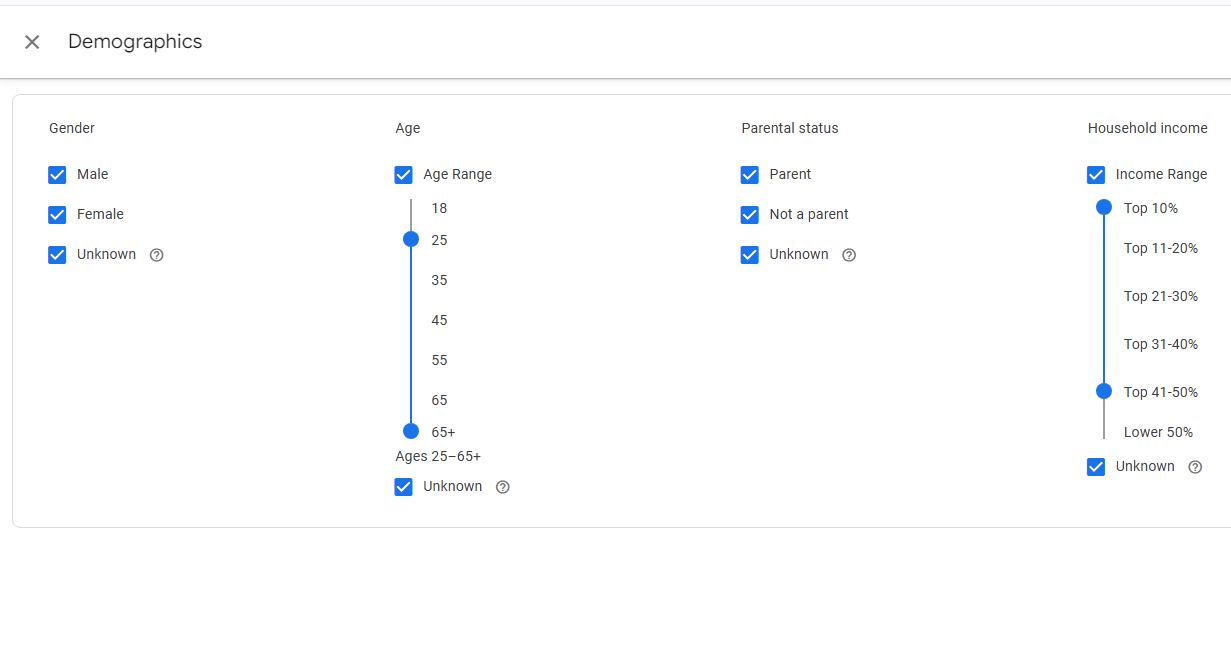
Demographics targeting in DV360 enables advertisers to reach audiences based on specific characteristics such as age, gender, parental status, and household income. These demographic segments help deliver campaigns to users who match the brand’s target market.
Contextual and placement options
13. Contextual Targeting
Contextual targeting matches ads with relevant content based on the user’s current interests. This form of targeting aligns ads with the content users are consuming, ensuring that the ad complements the context.
Key Techniques:
- Keyword Targeting: Aligns ads with pages based on keywords.
- Category Targeting: Places ads on sites with content grouped into broad categories like Arts, Autos, or Finance.
Contextual targeting improves engagement by showing ads in relevant settings. DV360 uses Google’s machine-learning models to analyse content in real time, so ads are matched with the most relevant pages as content changes.
14. Site and URL Targeting
Site targeting enables advertisers to select specific websites where ads will appear. For more granular control, URL targeting lets advertisers target individual pages on a website.
Example:
A luxury brand may choose premium lifestyle websites for site targeting or specific URLs on a news site discussing luxury travel.
This method ensures ads are placed on high-relevance websites, maintaining brand safety and relevance.
15. Engagement-Based Targeting
Engagement-based targeting delivers ads based on user actions, like website visits or ad interactions. This strategy effectively reaches users already familiar with the brand.
Key Benefits:
- App Engagement: Targets users who have installed or interacted with a brand’s app.
- User-Rewarded Content: Shows ads in exchange for rewards, like in-app bonuses, creating positive brand engagement.
These methods increase the likelihood of meaningful user interaction, especially in mobile and app environments.
Third-party data options
16. Third-Party Audiences and DMP Integration
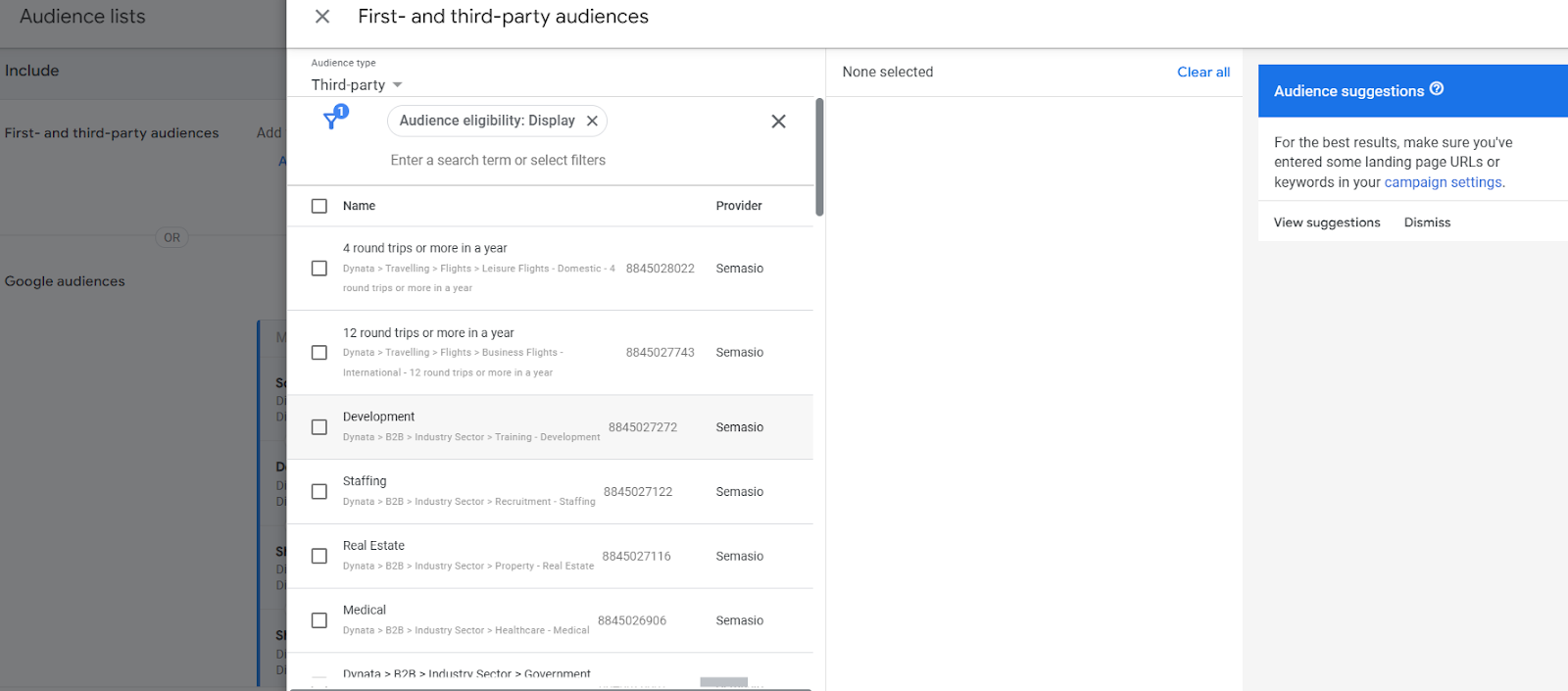
Third-party audiences allow advertisers to access external data on demographic, behavioural, and interest-based criteria. DV360 offers audience lists from many third-party data providers, charged as a separate CPM fee. By linking a Data Management Platform (DMP), advertisers can also bring in their own specialised segments, improving ad relevance.
Specialized Data and Demographic Targeting:
Third-party providers offer demographic attributes like age, gender, and income, along with behavioural data. This data enhances the precision of audience segments, allowing for efficient ad spend.
Behavioural Targeting Example: A technology brand promoting a new smartphone can target users who frequently browse tech-related websites or have searched for mobile reviews.
Which DV360 targeting option should you use?
DV360 gives you precise control over who sees your ads. Use first-party options (your lists, Floodlight, Customer Match, PAIR) to re-engage people who already know you, Google audiences such as affinity and in-market to find new people by interest and intent, and contextual or site targeting to match the content they are reading. Third-party segments fill gaps where your own data is thin.
To see how these audiences show up in reporting, read how DV360 and Google Ads reporting differ.